Context
Designers constantly need a real, existing page inside Figma as editable layers, not a flat screenshot: to redesign it, to document it, or to build a design system from what is already shipped. The commercial tools that do this are paid and closed. I built the same capability as three cooperating pieces around a single extraction engine.
What I built
One engine
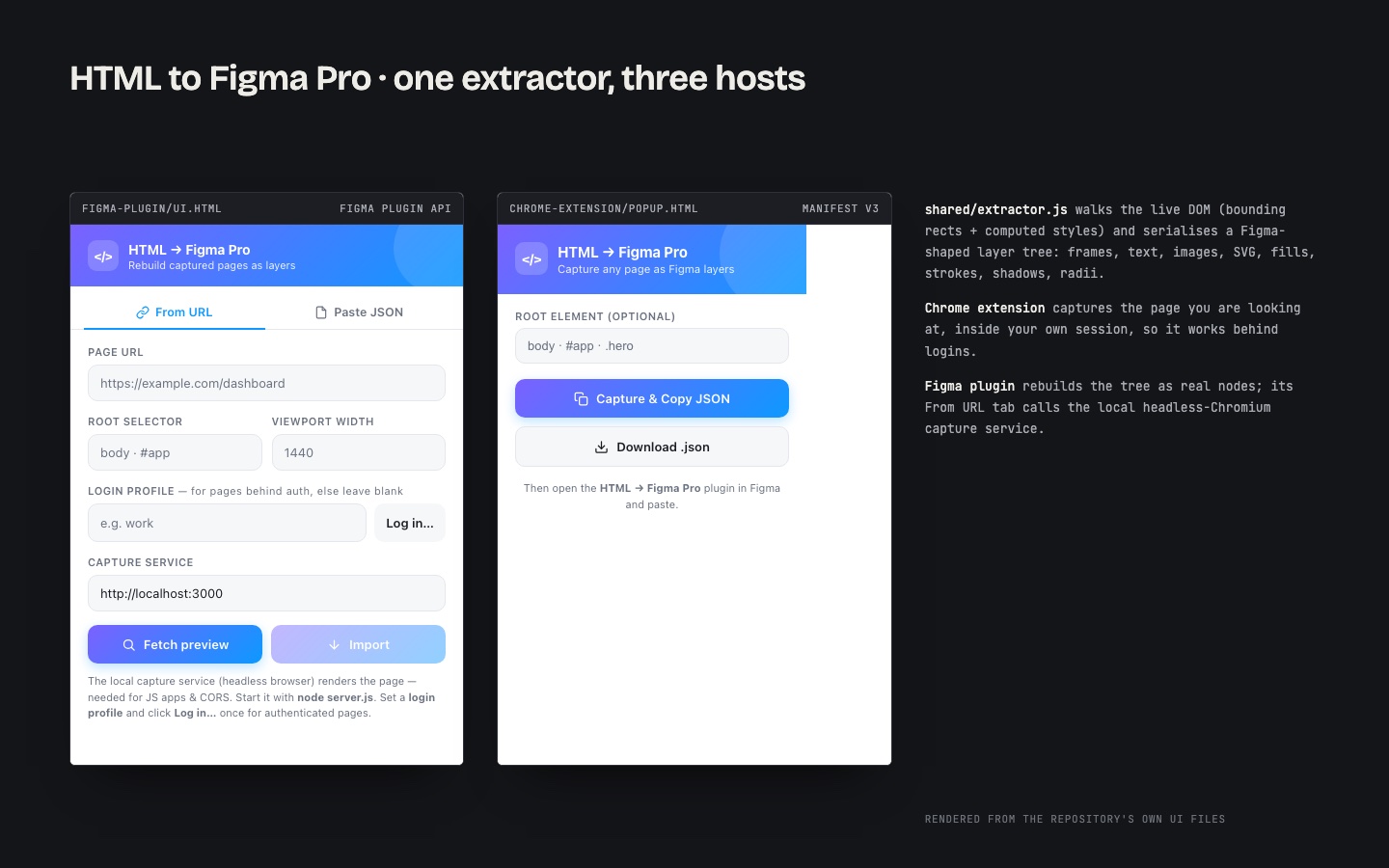
shared/extractor.js walks the live DOM, reads each element's bounding rectangle and computed style, and serialises the page into a Figma-shaped layer tree: frames, text, images, SVG, fills, strokes, shadows and corner radii. Everything else in the project is a host for this one module, which is why fidelity is identical whichever capture path you use.
Three hosts
- Chrome extension. Injects the extractor into the tab you are looking at and exports the JSON to the clipboard or a file. Because it runs inside your own logged-in browser session, it works on pages behind authentication, which a server-side fetch never can. You can scope the capture to a CSS selector to grab one component instead of the whole page.
- Figma plugin. Takes the JSON, loads the referenced fonts, fetches the images, and rebuilds the tree as real Figma nodes through the Plugin API. The default transport is clipboard or file, so the core workflow needs no server at all.
- Capture service. An optional local service behind the plugin's "From URL" tab: a headless Chromium renders the page and runs the same extractor. This exists for a specific technical reason. An iframe inside Figma cannot do it, because of CORS and because single-page applications do not render without executing their JavaScript. A real browser can. It is the same architecture the commercial URL-import plugins use.
Decisions worth noting
- Single engine, multiple runtimes. Chrome cannot inject files from outside an extension's root, so the extension carries a bundled copy of the shared extractor; the capture service uses the original. One implementation, two deployments, identical output.
- Clipboard first. I deliberately avoided a mandatory backend for the everyday case. The cloud-sync model the commercial competitors use is documented as an optional upgrade path, not a dependency.
- Component-level capture. Rooting the capture at a selector is a small feature that changes how the tool gets used: pulling one card or one navigation bar into Figma is far more common than pulling a whole page.
Companion tool
Web to HTML goes the other direction: it captures live production pages into portable, self-contained HTML snapshots for design hand-off and archival. It is listed on the resume alongside this project; the primary verified artefact in the repository is HTML to Figma Pro.
Why it is in the portfolio
This is developer tooling with real constraints reasoned through (authenticated pages, CORS, SPA rendering), not a wrapper around someone else's API. It shows browser-internals fluency, depth in the Figma Plugin API, and the discipline of a shared core across three runtimes. It also connects the two ends of my career: I started as a graphic designer, and this is a tool built for designers by someone who became an engineer.